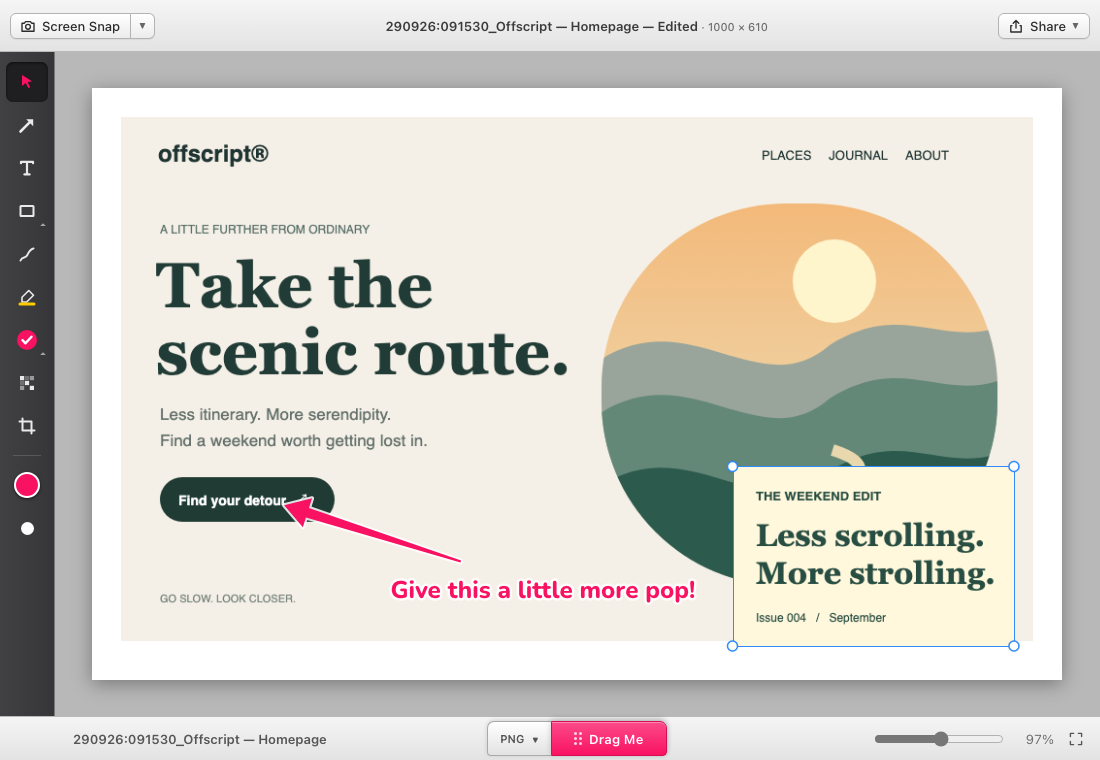
Skritch scratches an itch. For the missing features you wished Skitch had: more images, smarter
crops, quick video edits, and that beautiful little Drag Me tab.
macOS 13.3 or later · Apple silicon & Intel Free. MIT licensed. No account needed.
A quick first-launch note
This release is Developer ID signed, but not yet notarized. macOS may ask you to approve it in
Privacy & Security. Drag Skritch into Applications, launch it, and allow Screen Recording when
prompted.
Full installation guide ↗
No. Skritch is an independent project inspired by the ease of Skitch. It adds its own approach
to image layers, canvas cropping and quick video work. It is not affiliated with Skitch or
Evernote.
Can I keep editing after I save?+
Save a .skritch project to retain the editable document. Skritch’s PNG export can also retain
editable document data when it fits within the metadata limit. Other image formats export a
flattened image.
What about Windows?+
The codebase supports Windows and macOS. This first public download is the universal Mac app. A
packaged Windows release is not available yet; build instructions are in the GitHub README.
Screen Recording is already enabled. Why am I asked again?+
Older development builds used a different signing identity. Quit Skritch, install this build in
Applications, then remove the old Screen Recording entry and add the installed app again. Future
builds use the same Developer ID. See the README for the full migration steps.
Found a bug or have an idea?+
This is an early public release.
Open an issue on GitHub with your macOS
version and a few steps to reproduce it. Please remove private information from any screenshots
you share.